Axom Core
A downloadable tool
AxomCore
Build large-scale gameplay systems without Tick and timer sprawl
AxomCore is an Unreal Engine 5 plugin for creating background gameplay systems such as economies, NPC schedules, world events, quest timelines and persistent simulations.
Build your gameplay behaviour in Blueprint while AxomCore handles timing, registration and runtime management through native C++ systems.
Launching on Fab Monday.
Stop rebuilding the same runtime infrastructure
As Unreal projects grow, background logic often becomes spread across:
- Actor Tick events
- Timer handles
- Delay nodes
- Manager Actors
- Level Blueprints
- Disconnected simulation clocks
This can make systems difficult to maintain, reuse and scale.
AxomCore brings this logic into one structured runtime framework.
What AxomCore gives you
Modular Logic Objects
Create self-contained Blueprint Logic Objects for systems such as:
- Economy and trade
- NPC routines
- Faction updates
- World events
- Quest timelines
- Weather and environmental cycles
A single Logic Object can manage logic across multiple Actors or entities. It does not need to map one-to-one with an Actor.
One shared simulation clock
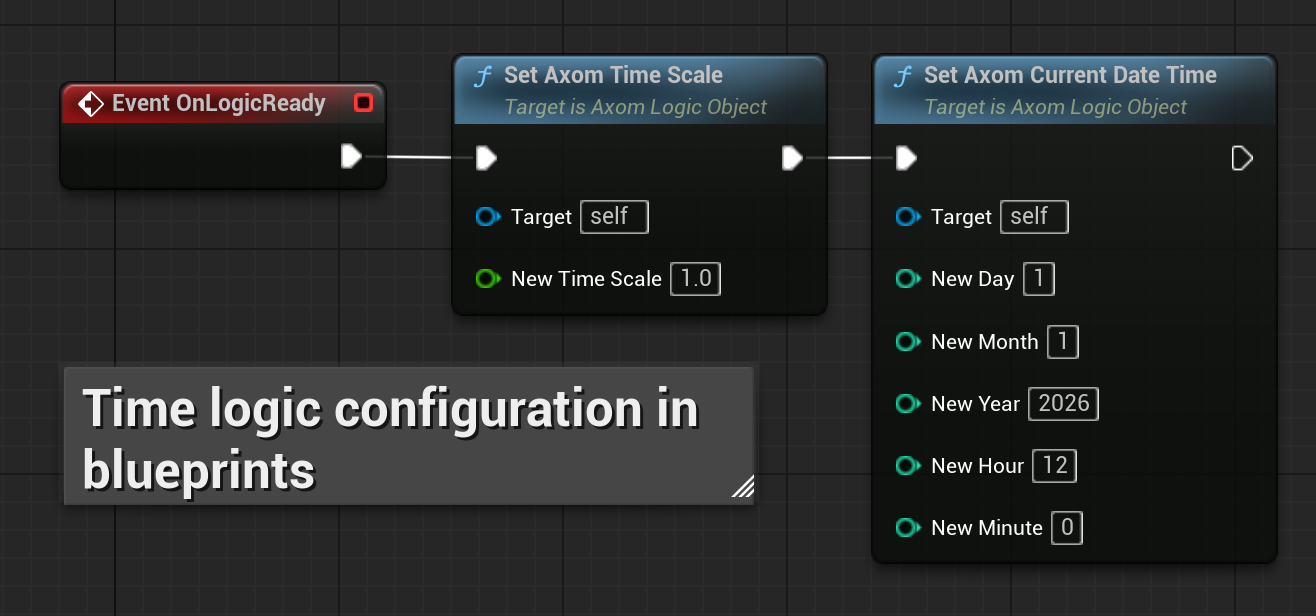
Run seconds, minutes, hours, days, weeks, months and years from one authoritative time system.
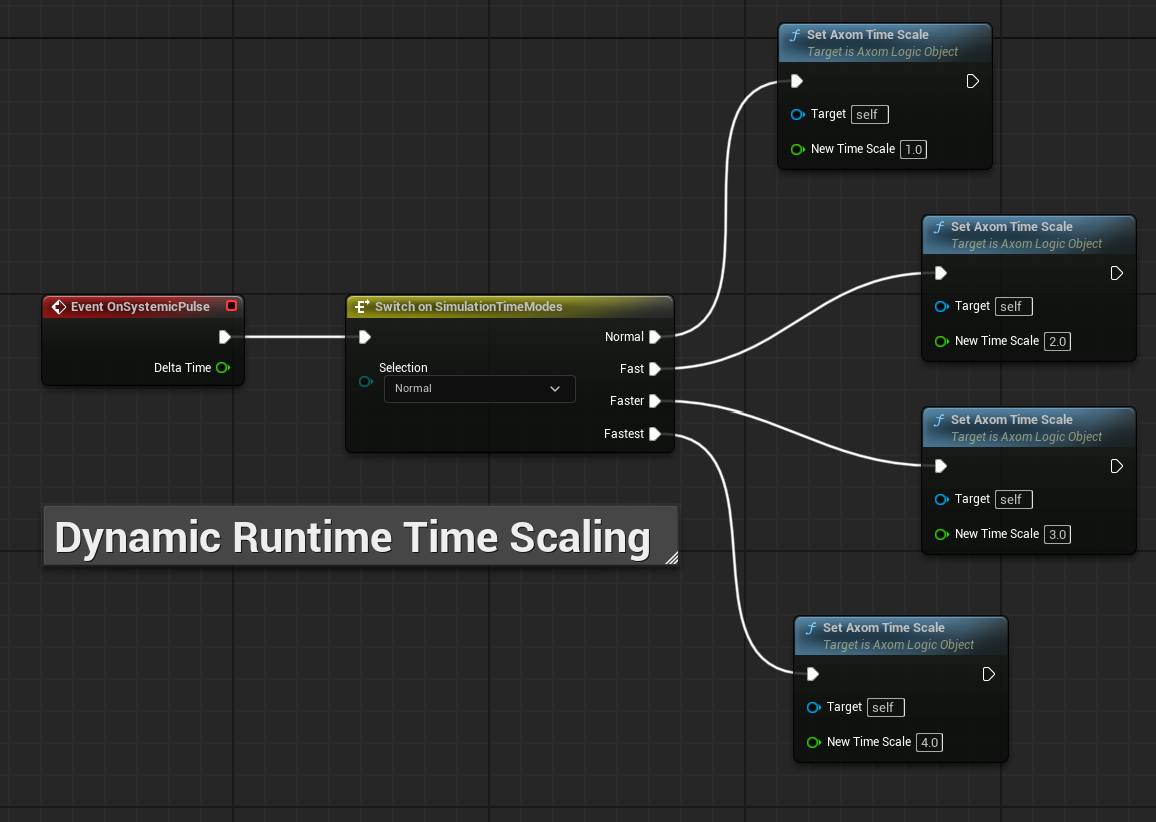
Change the simulation speed at runtime or pause Axom time completely.
Scheduled gameplay events
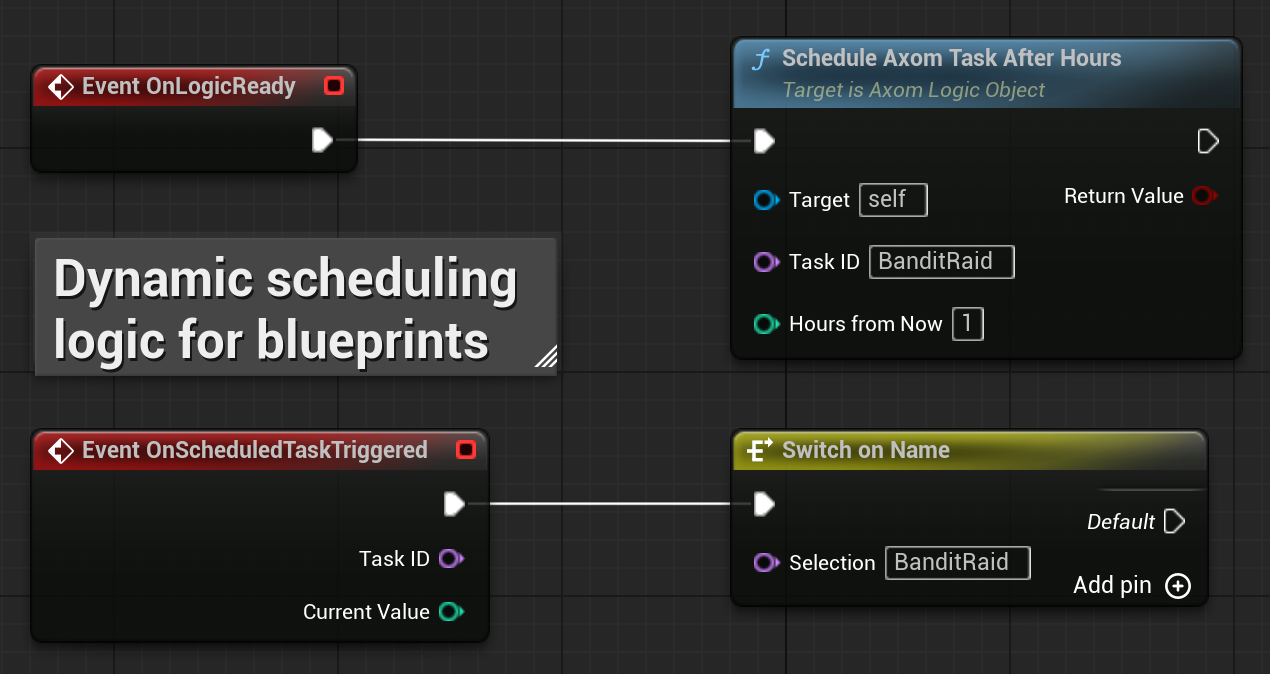
Schedule one-time events using simulation time:
- Trigger a raid in three in-game days
- Start a festival next month
- Refresh a market after several hours
- Cancel an event when the player changes the world state
Scheduled tasks can be identified, queried, cancelled or routed through Blueprint using Task IDs.
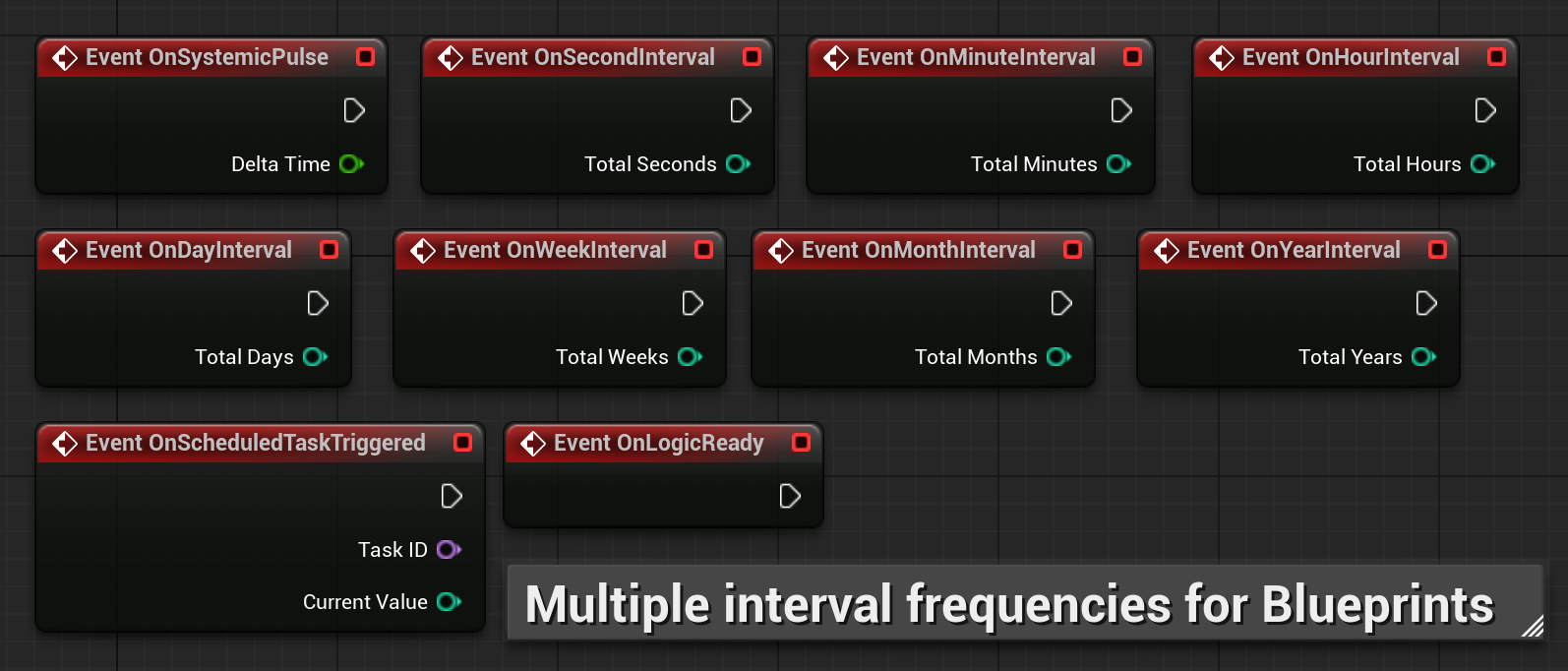
Interval and Elapsed Events
Use built-in events for recurring simulation updates.
Elapsed Events also support accurate elapsed-time behaviour at extreme time scales and custom patterns such as triggering logic every two seconds.
Blueprint-friendly workflow
AxomCore is built in C++, but normal gameplay setup remains accessible through:
- Blueprint Logic Objects
- Blueprint events
- Blueprint-callable nodes
- Project Settings
- Runtime Config Data Assets
Blueprint-only projects can use the plugin without writing additional C++.
No required Manager Actors
AxomCore does not require a manager Actor to be placed in every level.
Global background systems are registered and managed through the runtime instead of depending on scene Actors or level scripts.
Built-in performance monitoring
Monitor AxomCore directly through Blueprint using:
- Active Logic Object count
- Total Logic Object event triggers processed
- Latest processing time
- Peak processing time
These values can be connected to your own diagnostic UI.
Simple setup
- Enable AxomCore.
- Create an Axom Runtime Config Data Asset.
- Assign it in Project Settings.
- Create an Axom Logic Object Blueprint.
- Add your runtime events and gameplay logic.
- Press Play.
Use automatic discovery while prototyping or manual registration when you need precise production control.
See it working before you buy
The free AxomCore demo includes:
- 10,000 registered Logic Objects
- Live runtime diagnostics
- Multiple simulation time scales
- Visual interval demonstrations
- Performance monitoring
- A complete example project
Download the demo and inspect the system directly.
Designed for
AxomCore is especially useful for:
- Systemic RPGs
- Sandbox games
- Strategy games
- Colony and management games
- Survival games
- Economy simulations
- Persistent worlds
- Calendar-driven systems
- Large Blueprint projects with extensive background logic
What AxomCore should not replace
AxomCore is designed for background simulation and systemic gameplay.
Continue using Unreal’s native systems for:
- Animation
- Movement
- Weapon reloads
- UI effects
- Short combat delays
- Frame-sensitive Actor behaviour
AxomCore complements Unreal’s native timers rather than replacing every timer in a project.
Multiplayer use
AxomCore is intended primarily for single-player projects or the server-authoritative layer of a multiplayer project.
In networked projects, Axom time and simulation logic should run on the server, with relevant state replicated to clients.
A dedicated AxomCore multiplayer extension is planned.
Introductory launch offer
Personal / Indie License: £65
Standard price: £85
Studio / Professional License: £295
Standard price: £345
Includes future updates to the AxomCore base plugin.
Documentation and support
The full Product Guide covers:
- Installation and setup
- Automatic and manual registration
- Logic Object creation
- Time and calendar controls
- Interval and Elapsed Events
- Scheduled tasks
- Event subscriptions
- Performance monitoring
- Multi-level projects
- Debugging
- Recommended architecture
AxomCore is now available on Fab.
Fab: https://www.fab.com/listings/ce6e0f58-78d1-43b1-b2a2-e9b1be8d1d79
Project Lifecycle Note: Active development timeline and codebase shift formalized on 11/05/2026.
Download
Development log